
Email marketing sounds simple until you actually try to run it consistently.
Collect email addresses.
Send a newsletter.
Create a welcome email.
Follow up with people who clicked but did not buy.
Remove inactive subscribers.
Send something useful without making every message feel like a sales pitch.
None of those tasks is particularly complicated by itself. Together, though, they quickly become a system.
That is why choosing an email marketing platform matters.
The wrong tool can leave you paying for features you never use or struggling with an interface that makes a basic newsletter feel like a technical project.
The right one should mostly disappear into the background.
You should be able to collect subscribers, send useful emails, automate repetitive follow-ups and understand what happened without needing to become an email-marketing specialist first.
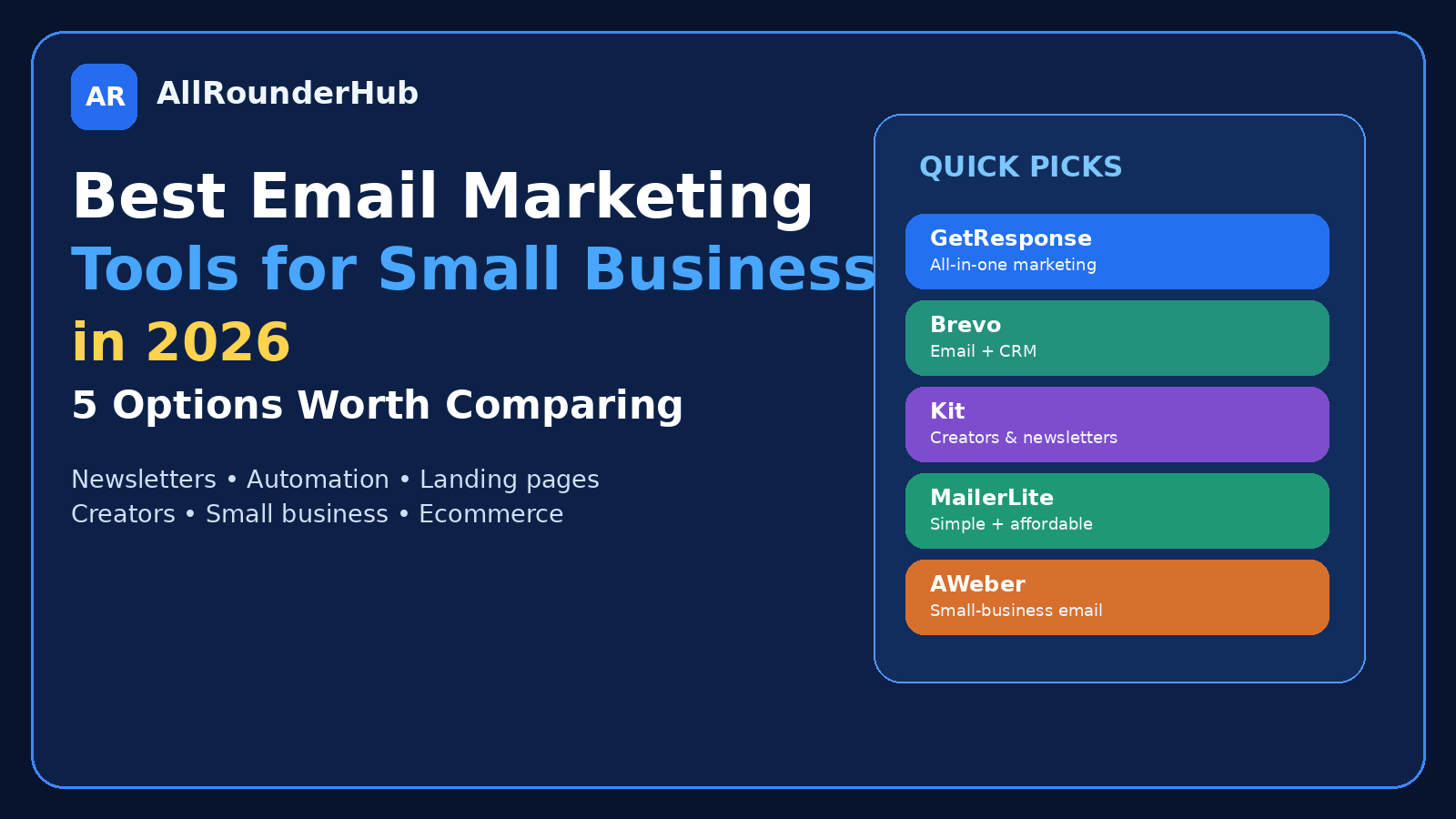
This guide compares five platforms worth looking at in 2026: GetResponse, Brevo, Kit, MailerLite and AWeber.
They overlap in many areas, but they are not identical.
The best choice depends on the kind of business you are actually running.
Start With What You Need Email to Do
Before comparing products, write down your real requirements.
A small local business may only need:
- a contact list;
- occasional newsletters;
- a welcome sequence;
- basic automation.
A creator might care much more about:
- landing pages;
- newsletter publishing;
- audience growth;
- digital products.
An online store may need:
- abandoned-cart follow-ups;
- purchase-based segmentation;
- customer lifecycle campaigns.
A larger marketing operation may want CRM functionality, multiple communication channels and more complex automation.
The biggest mistake is buying the platform with the longest feature list.
You do not need the most capable email system.
You need the one whose capabilities match your workflow.
1. GetResponse — Best for Businesses Wanting a Broader Marketing Platform
GetResponse is more than a simple newsletter sender.
Its current platform combines email marketing with automation and other marketing tools designed around audience growth, engagement and conversion.
That makes it interesting for businesses that do not want their email system to remain isolated from the rest of their marketing.
Imagine you begin with a newsletter.
Later you want automated sequences.
Then landing pages.
Then more structured lead nurturing.
A broader platform can reduce the need to connect several separate services immediately.
Where GetResponse makes sense
I would look at GetResponse if email is likely to become an important part of a larger marketing system rather than something you send twice a year.
That could include:
- online businesses;
- marketers;
- course creators;
- ecommerce operations;
- businesses building automated funnels.
What to watch
More functionality is useful only when you need it.
If all you want is a monthly newsletter for a small audience, a simpler tool may be easier to manage.
Do not pay for an entire marketing stack because you may use it someday.
Start with what you need now.
Best for: businesses wanting email marketing plus broader automation and marketing capabilities.
2. Brevo — Best for Businesses That Want Email and Customer Communication Together
Brevo positions itself as a customer-engagement platform rather than only an email tool.
Its current offering includes email, SMS, WhatsApp-related functionality, CRM, automation and chat capabilities.
That can be attractive for small businesses because customer communication rarely happens through only one channel.
A customer may receive an email today.
Contact support tomorrow.
Make a purchase later.
A system that keeps more of those interactions connected can become useful as the business grows.
Where Brevo makes sense
Brevo is worth examining when your requirements extend beyond newsletters into customer communication and sales management.
For example:
- service businesses;
- ecommerce;
- small sales teams;
- businesses using transactional emails;
- teams that want CRM and messaging functionality together.
Where it may be more than you need
If your entire requirement is:
“Send one good newsletter every Friday,”
then some of Brevo’s broader capabilities may not influence your decision much.
That is not a weakness in the product.
It simply means the match depends on your workflow.
Best for: businesses wanting email, CRM and multiple customer-communication functions in one ecosystem.
3. Kit — Best for Creators and Audience-Driven Businesses
Kit, formerly ConvertKit, has a noticeably different focus.
It describes itself as a creator-first email and newsletter platform built around growing an audience, automation and earning from that audience.
That positioning matters.
A creator running a newsletter does not necessarily think about subscribers in the same way as a traditional sales department.
They may be publishing:
- articles;
- videos;
- podcasts;
- courses;
- paid newsletters;
- digital products.
For that kind of business, email is often part of the product and the relationship with the audience, not merely a promotional channel.
Where Kit makes sense
Kit deserves a close look if your business is built around content or a personal audience.
That includes:
- bloggers;
- newsletter writers;
- YouTubers;
- coaches;
- authors;
- creators selling digital products.
Why specialization can help
General-purpose marketing platforms try to serve many types of companies.
A creator-focused product can organize the experience around creator workflows instead.
That does not make it universally better.
It makes it potentially better for a particular type of user.
Best for: creators, newsletters, bloggers and audience-based businesses.
4. MailerLite — Best for Users Who Want a Cleaner Starting Point
Not every business wants an enormous marketing dashboard.
Sometimes the most valuable feature is being able to understand the software quickly.
MailerLite currently provides email marketing, newsletter editing, automation, landing pages and website-related tools. Its automation system can run campaigns based on subscriber actions, and automation features are available even at the free level with limits.
That combination makes it appealing to people who want room to grow without immediately starting with a complicated system.
Where MailerLite makes sense
I would consider MailerLite for:
- new newsletters;
- bloggers;
- freelancers;
- small businesses;
- people building their first meaningful email list.
It can also make sense for experienced users who simply prefer a less complicated workflow.
Simple does not mean basic
There is an important difference between a tool being easy to use and a tool being incapable.
A simpler interface can be valuable precisely because it lets you spend less time managing the software.
That matters for small teams where email marketing is only one of many responsibilities.
Best for: beginners, small businesses and users prioritizing a straightforward email-marketing workflow.
5. AWeber — Best for Small Businesses Wanting Established Email Automation
AWeber has been in email marketing for a long time and currently focuses its platform on small businesses, email campaigns and automation.
Its automation tools can respond to subscriber actions such as clicks, purchases and tags, while the wider platform supports common email-marketing workflows.
That makes AWeber a practical option for businesses that want email automation without treating email as an experimental side feature.
Where AWeber makes sense
AWeber can be worth comparing for:
- small businesses;
- coaches;
- ecommerce businesses;
- creators;
- affiliate marketers;
- businesses running automated email sequences.
The value of an established workflow
New software often attracts attention because of new features.
That does not mean new is always better.
For business tools, documentation, support, reliability and understandable workflows can be just as important as having the newest feature.
If email directly contributes to your business, predictable operation matters.
Best for: small-business email marketing and automation.
GetResponse vs Brevo: Which One Should a Small Business Choose?
These two make an interesting comparison because both can extend well beyond simple newsletters.
GetResponse is attractive when your focus is broader digital marketing and automation.
Brevo becomes especially interesting when you want customer communication, CRM and multiple messaging channels in the same general ecosystem.
The choice depends on the centre of your workflow.
If you think:
“I want to build marketing campaigns and automate lead nurturing,”
GetResponse deserves attention.
If you think:
“I want email connected with a wider customer-engagement system,”
Brevo may feel more natural.
Do not choose from a feature-count table alone.
Think about what you will actually open the platform to do each week.
Kit vs MailerLite: Which Is Better for Creators?
Both can work for creators, but the philosophy is slightly different.
Kit is explicitly built around creators and audience-based businesses.
MailerLite offers a broader but still accessible email, automation and landing-page toolkit.
A full-time creator building products and newsletters around an audience may prefer Kit’s creator-first structure.
Someone starting a newsletter while also running a small business may prefer MailerLite’s straightforward approach.
The best test is not a demo newsletter.
Try to build the workflow you genuinely expect to use.
AWeber vs MailerLite for Beginners
Both can suit small businesses, but your preference may come down to interface and automation requirements.
MailerLite emphasizes an accessible newsletter and automation workflow, while AWeber currently offers automation capable of routing subscribers according to behaviour.
If your requirements are simple, you may care more about which interface feels comfortable.
If automation becomes central, compare what each platform can do at the plan level you can actually afford.
Do not compare only the most expensive plans.
Compare the plan you are realistically going to buy.
Do You Need Email Marketing If You Already Have Social Media?
Yes, the two channels solve different problems.
A social-media account exists on somebody else’s platform.
Its algorithm can change.
Reach can change.
Features can disappear.
An email list gives you a direct way to communicate with people who have chosen to hear from you.
That does not mean every visitor should immediately receive a sales sequence.
A useful email strategy usually begins with giving people a reason to stay subscribed.
Useful information.
Relevant updates.
Offers that actually match their interests.
Email works best when subscribers would notice if you stopped sending it.
Start Building the List Before You Think You Are Ready
A common mistake is waiting until the website becomes “big enough.”
Then six months later you have traffic but no direct relationship with those visitors.
You do not need a complicated setup.
Start with:
- one signup form;
- one clear reason to subscribe;
- one welcome email;
- a realistic publishing schedule.
That is enough to begin.
Automation can grow later.
Do Not Collect Emails Without a Reason to Send Anything
A newsletter signup box saying:
“Join our mailing list”
is technically correct.
It is not particularly convincing.
Why should somebody join?
Tell them.
Maybe subscribers receive:
- practical weekly guides;
- new deals;
- product comparisons;
- useful tools;
- exclusive resources;
- a monthly roundup.
Give the signup form a purpose.
Then deliver what you promised.
Your First Automation Should Be Simple
Email automation can become complicated quickly.
Do not begin with a flowchart containing forty branches.
Start with a welcome sequence.
For example:
Email 1: Welcome and explain what subscribers will receive.
Email 2: Send one genuinely useful resource.
Email 3: Introduce your best content or product category.
That already creates more structure than simply collecting addresses and forgetting about them.
Once that works, add automation because there is a clear need.
Free Plan vs Paid Email Marketing
The same principle applies here as with other software.
Use the free level when it handles your real workload.
Upgrade when the limitation becomes meaningful.
That limitation might be:
- subscriber count;
- automation depth;
- sending volume;
- branding;
- reporting;
- integrations;
- advanced segmentation.
Do not upgrade because your dashboard says Pro users get twenty additional features.
Upgrade because one of those features solves a problem you actually have.
Watch Subscriber-Based Pricing Carefully
Email marketing costs can increase as your audience grows.
That makes pricing different from software where you pay one fixed amount forever.
A list containing thousands of engaged subscribers can be valuable.
A list containing thousands of people who never open anything can simply become expensive.
Regularly clean your list according to the platform’s recommended practices and your own communication strategy.
Do not become obsessed with the biggest subscriber number possible.
An engaged audience is more useful than a large inactive one.
Deliverability Matters More Than Fancy Templates
A beautiful email that does not reach the inbox has limited value.
Your own behaviour affects deliverability too.
Avoid:
- purchased email lists;
- misleading subject lines;
- sending to people who did not expect your emails;
- ignoring unsubscribes;
- suddenly sending huge volumes from a new account.
Choose a reputable provider, but remember that software cannot completely compensate for poor sending practices.
Which Tool Would I Start With?
There is no single answer, but I would narrow it this way.
Choose GetResponse if:
You want email to become part of a broader automated marketing system.
Choose Brevo if:
You want email alongside CRM and wider customer communication.
Choose Kit if:
Your business is built around content, subscribers and a creator audience.
Choose MailerLite if:
You want a straightforward way to start newsletters and automation without unnecessary complexity.
Choose AWeber if:
You want a small-business-focused email platform with established automation workflows.
That is a much more useful decision framework than choosing whoever currently offers the biggest discount.
Do Not Subscribe to Several Email Platforms
Unlike some AI tools, there is usually little value in running the same email list through multiple marketing platforms.
Choose one.
Learn it.
Build your forms and automations there.
Move only when the reason is strong enough to justify migration.
Switching platforms can involve:
- importing subscribers;
- recreating forms;
- rebuilding automations;
- reconnecting integrations;
- updating website forms;
- learning a new interface.
That is why choosing carefully at the beginning is worthwhile.
A Simple Email Marketing Tool Checklist
Before signing up, check:
- How many subscribers do I currently have?
- How quickly might the list grow?
- How does pricing change with list size?
- Do I need automation?
- Do I need landing pages?
- Do I need CRM?
- Is ecommerce important?
- Does it integrate with my website?
- Is the editor comfortable to use?
- Can I export my contacts?
- Is documentation easy to understand?
- What feature would actually make me upgrade?
If you cannot answer number 12, start with the simplest suitable option.
Final Verdict
GetResponse, Brevo, Kit, MailerLite and AWeber can all make sense for small businesses.
But they fit different kinds of businesses.
GetResponse is appealing when email belongs inside a broader marketing system.
Brevo makes sense when communication and CRM need to work more closely together.
Kit is particularly relevant to creators and audience-driven businesses.
MailerLite offers an approachable path into newsletters and automation.
AWeber remains focused on practical small-business email and automation.
Do not choose based on the longest feature list.
Do not choose based only on the cheapest introductory price.
And do not choose because somebody else calls one platform “the best.”
Choose the service that makes the emails you actually need to send easier to create, automate and manage.
Then spend your energy on the part software cannot solve for you:
sending emails people genuinely want to read.
Frequently Asked Questions
What is the best email marketing tool for a small business?
There is no universal winner. GetResponse suits broader marketing automation, Brevo combines email with wider customer-engagement tools, Kit focuses strongly on creators, MailerLite emphasizes an accessible newsletter workflow, and AWeber focuses on small-business email and automation.
Which email marketing tool is best for creators?
Kit is specifically positioned as a creator-first email and newsletter platform, making it particularly relevant to bloggers, newsletter publishers and other audience-driven businesses.
Does MailerLite offer email automation?
Yes. MailerLite currently offers automation workflows, including triggers based on subscriber activity, and limited automation functionality is available on its free plan.
Is AWeber suitable for automation?
Yes. AWeber’s current automation system supports behaviour-based paths involving actions such as clicks, purchases and tags.
Can a small business start email marketing for free?
Several email platforms offer free or trial entry points, although limits and features vary and can change. Always check the provider’s current plan before deciding.
Should I use more than one email marketing service?
Usually not for the same main mailing list. Maintaining multiple systems can duplicate work and complicate forms, automations, subscriber management and reporting.
Sources & Verification
This comparison was last checked on August 24, 2026 against the providers’ official product pages. Features, subscriber limits and pricing can change, so verify the exact plan before subscribing.
- GetResponse official email marketing page
- Brevo official marketing platform page
- Kit official features page
- MailerLite official email marketing features page
- AWeber official email marketing features page
Editorial Note
Email marketing plans, subscriber limits, features, commission structures and pricing change regularly. Check each provider’s official website before choosing or purchasing a plan.
Affiliate Disclosure
AllRounderHub may contain affiliate links. If you purchase a product or service through an eligible affiliate link, we may earn a commission at no additional cost to you. Affiliate relationships do not determine our editorial conclusions.
Continue learning: plan your website budget, explore AI tools for small business, and use the web hosting checklist.